

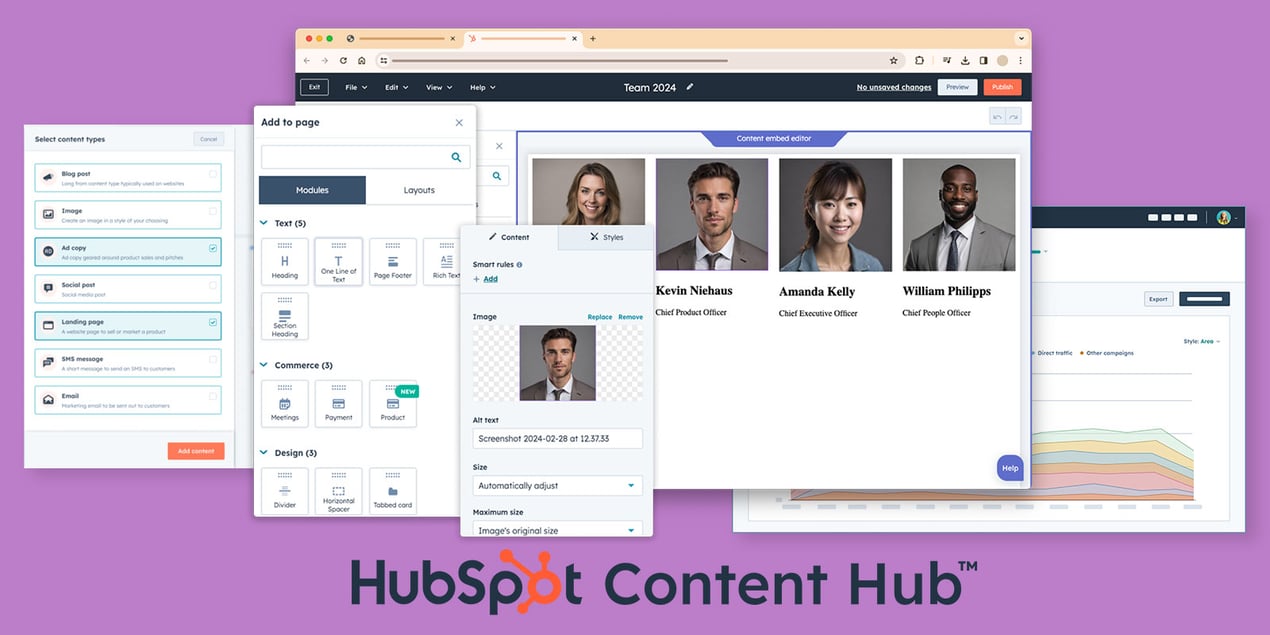
As a HubSpot Partner Consultant, the launch of the AI-powered Content Hub has been one of the most frequent topics of conversation with my clients. The big question on everyone’s mind isn’t just “What is it?” but “Which tier is right for me, and is it worth the investment?”
HubSpot has replaced its well-known CMS Hub with the much more powerful Content Hub, an all-in-one platform designed to manage the entire content lifecycle. But with four different tiers—Free, Starter, Professional, and Enterprise—choosing the right plan can feel overwhelming.
In my experience helping businesses of all sizes navigate this decision, the right choice depends entirely on your company’s size, goals, and budget. A startup doesn’t need the same toolkit as a global enterprise, and overpaying for features you won’t use is a common mistake.
This guide cuts through the noise. I’ll break down each tier of the HubSpot Content Hub, comparing features, pricing, and ideal use cases. We’ll look at what you get, what you don’t, and when it makes sense to upgrade. By the end, you’ll have a clear, consultant-backed framework to confidently choose the perfect plan for your business.
HubSpot Content Hub: At-a-Glance Comparison (2025)
For those who want a quick overview, here is a side-by-side comparison of the four Content Hub tiers. We will explore each of these features in more detail below.
|
Feature
|
Free
|
Starter
|
Professional
|
Enterprise
|
|
Monthly Price
|
$0
|
$15-$20/seat
|
$500 (3 seats)
|
$1,500 (5 seats)
|
|
Best For
|
Individuals & Testers
|
Small Businesses
|
Growing Businesses
|
Large Enterprises
|
|
Remove HubSpot Branding
|
❌
|
✅
|
✅
|
✅
|
|
Website Pages
|
Limited
|
✅
|
✅
|
✅
|
|
Content Personalization
|
❌
|
Basic
|
✅ Advanced
|
✅ Advanced
|
|
AI Content Creation
|
✅ Basic
|
✅
|
✅
|
✅
|
|
Content Remix
|
❌
|
❌
|
✅
|
✅
|
|
Memberships & Gated Content
|
❌
|
❌
|
✅
|
✅
|
|
A/B Testing
|
❌
|
❌
|
✅
|
✅
|
|
Advanced SEO Tools
|
❌
|
❌
|
✅
|
✅
|
|
Multi-Domain Management
|
❌
|
❌
|
❌
|
✅
|
|
Content Approvals
|
❌
|
❌
|
❌
|
✅
|
|
24/7 Support
|
❌
|
❌
|
❌
|
✅
|
HubSpot Content Hub Starter
What It Is
Content Hub Starter is the entry-level paid plan, designed for small businesses and startups that need a professional, functional website without the complexity or cost of higher tiers. It provides all the essential tools to get a beautiful, secure, and SEO-friendly website up and running quickly.
Key Features
1. Remove HubSpot Branding: The most significant advantage over the Free plan is the ability to remove all HubSpot branding from your website for a fully professional look.
2. Website Pages: Create an unlimited number of website pages using HubSpot’s intuitive drag-and-drop editor.
3. Basic Content Personalization: Offer slightly tailored experiences by showing different content based on country, device, or referral source.
4. Drag-and-Drop Editor: Build and edit pages without needing any coding knowledge.
5. Built-in SEO Tools: Get basic on-page SEO recommendations to help your content rank.
6. Secure Hosting: Includes a standard SSL certificate and reliable hosting, ensuring your site is secure and always online.
Pricing
• $15-$20 per month, per seat.
Ideal For
• Startups and small businesses (1-10 employees).
• Companies needing a simple, professional website.
• Teams with limited budgets who want to move beyond the Free plan.
• Businesses that don’t require advanced AI, personalization, or testing.
Consultant's Take
For businesses currently on the Free plan, Starter is the logical next step. The ability to remove HubSpot branding is essential for credibility. While it lacks the powerful AI and personalization of the higher tiers, it’s a cost-effective and robust solution for building a foundational web presence. I recommend this plan to any small business that is serious about its online image but not yet ready for a major marketing automation investment.
HubSpot Content Hub Professional
What It Is
Content Hub Professional is where the magic really begins. This is the most popular tier and, in my opinion, offers the best balance of power and price for most growing businesses. It transforms your website from a simple brochure into a dynamic, AI-powered content engine designed to generate leads and personalize experiences at scale.
Key Features
1. AI-Powered Content Creation: This is the star of the show. Access a full suite of AI tools:
•Content Remix: Turn one blog post into multiple assets (social posts, emails, etc.) in seconds.
•AI Blog & Page Writer: Generate entire articles and landing pages from a simple prompt.
•Brand Voice: Define your brand’s tone, and the AI will write in your style.
2. Advanced Personalization (Smart Content): Display completely different content—from CTAs to entire page sections—to visitors based on their lifecycle stage, list membership, or CRM data.
3. A/B and Adaptive Testing: Test different versions of a page to see which performs better. The Enterprise tier offers adaptive testing, which automatically directs traffic to the winning version.
4. Memberships & Gated Content: Create password-protected areas of your site for members, customers, or paid subscribers. This is perfect for online courses, premium resource libraries, or customer portals.
5. Advanced SEO Tools: Move beyond basic recommendations with topic clustering and integrated SEO strategy tools.
6. Content Staging: Build and preview changes to your website in a safe, private environment before pushing them live.
Pricing
•$500 per month, which includes 3 seats.
Ideal For
• Growing businesses (10-100 employees) scaling their content marketing.
• Companies that need to personalize the buyer’s journey.
• Businesses looking to create membership sites or sell premium content.
• Marketing teams that want to leverage AI to produce content more efficiently.
Consultant's Take
For most businesses I work with, Professional is the sweet spot. The leap in functionality from Starter is immense. The ability to use Smart Content to personalize experiences is a conversion game-changer, and the AI tools can genuinely save your team hours every week. If you are serious about content marketing and lead generation, this is the plan where you’ll see a significant ROI.
HubSpot Content Hub Enterprise
What It Is
Content Hub Enterprise is the top-tier plan, built for large, complex organizations. It’s designed for businesses that manage multiple brands, have large marketing teams, and require granular control over content, permissions, and security.
Key Features
1. Multi-Domain Management: Manage multiple websites and brands from a single HubSpot portal. This is a must-have for companies with distinct product lines or regional websites.
2. Content Partitioning & Approvals: Control which teams can view, edit, and publish specific content. You can set up mandatory approval workflows to ensure brand consistency and quality control.
3. Adaptive Testing: An advanced form of A/B testing where HubSpot uses machine learning to automatically shift traffic to the best-performing page variation in real-time.
4. Custom Objects: Create custom CRM objects to model your unique business data, and then use that data to personalize content.
5. Advanced Security: Includes a Web Application Firewall (WAF), custom SSL certificates, and Single Sign-On (SSO) for enterprise-grade security.
6. Dedicated Support: Get 24/7 phone support and a dedicated Customer Success Manager to provide strategic guidance.
Pricing
•$1,500 per month, which includes 5 seats.
Ideal For
• Large enterprises (100+ employees).
• Companies managing multiple brands, websites, or domains.
• Organizations with complex security and compliance requirements.
• Large marketing teams that need granular user permissions and approval workflows.
Consultant's Take
Enterprise is a significant investment, and it’s not for everyone. I only recommend this tier when a business has a clear need for its specific features. The most common drivers are multi-domain management and content partitioning. If your marketing team is large and decentralized, the governance tools in Enterprise are essential to prevent chaos. If you’re not managing multiple sites or complex team structures, Professional is likely more than enough.
How to Choose the Right Tier: A Consultant's Framework
Still unsure? Ask yourself these three questions:
1.How important is personalization to my strategy?
•If it’s not important, Starter is fine.
•If you want to personalize based on user data, you need Professional.
2.How much content are we creating, and how big is our team?
•If you have a small team and a simple blog, Starter works.
•If you want to scale content creation with AI and have a growing team, you need Professional.
3.Do we manage multiple websites or have complex security/permission needs?
•If the answer is yes, you need Enterprise. No other tier offers multi-domain management or content partitioning.
Content Hub vs. CMS Hub: What’s the Difference?
Content Hub is the direct evolution of CMS Hub, but it’s much more than a name change. Here’s the key difference:
• CMS Hub was a tool for managing a website.
• Content Hub is a platform for the entire content lifecycle.
Content Hub includes all the features of CMS Hub but adds a powerful layer of AI-powered creation and multi-channel tools like Content Remix and the Podcast Generator. It’s designed not just to host your content, but to help you create, repurpose, and optimize it faster than ever before.
Frequently Asked Questions (FAQ)
Q: What is HubSpot Content Hub?
A: It’s an all-in-one, AI-powered content marketing platform that replaced the old CMS Hub. It helps you create, manage, publish, and analyze content across your website, blog, social media, and more.
Q: How much does Content Hub cost?
A: It has four tiers: Free ($0), Starter ($15-$20/seat/mo), Professional ($500/mo), and Enterprise ($1,500/mo).
Q: What is the main difference between Starter and Professional?
A: The Professional plan adds a full suite of AI content creation tools (like Content Remix), advanced personalization (Smart Content), A/B testing, and membership capabilities. Starter is for basic websites, while Professional is for scaling content marketing.
Q: Is Content Hub the same as CMS Hub?
A: No. Content Hub is the evolution of CMS Hub. It includes all CMS Hub features plus new, powerful AI tools for content creation and repurposing.
Q: Can I upgrade from Starter to Professional?
A: Yes, HubSpot makes it easy to upgrade your plan at any time as your business needs grow.
Let's Find the Perfect Fit for You
Choosing the right software is a critical business decision, and the HubSpot Content Hub is a powerful platform at every level. While this guide provides a strong framework, every business is unique.
As a certified HubSpot Partner, we at Pixcell specialize in helping companies like yours audit their needs and select the perfect HubSpot plan—ensuring you get the highest possible ROI on your investment.
If you’d like a personalized recommendation based on your specific goals, get in touch with us at Pixcell for a free, no-obligation consultation. We’ll help you build a content strategy that drives realigns with your budget and drives real growth.

Founder